
Portfolio Lab
Multi-Asset Backtesting. Portfolio Analytics. Fast Iteration.Available for Windows and macOS
Overview
Portfolio Lab is a desktop research terminal built on the Backtrader engine for systematic, multi-asset portfolio backtesting. Configure your strategy and position sizing, run realistic simulations (commission, slippage, broker checks), and review everything you need to iterate: plots, equity, returns, trades, and performance statistics.
Designed for a quant workflow: parameterized runs, portfolio-level outputs, and a clean UI for rapid experimentation.
Core Features
Portfolio-First Backtesting
- Multi-asset universes: Run a basket of tickers in one portfolio simulation.
- Backtrader engine: Leverage a robust event-driven backtesting framework.
- Research-friendly outputs: Equity, returns, trades, and stats ready for decision-making.
Realistic Execution Assumptions
- Initial capital: Set starting cash at the portfolio level.
- Commission: Model transaction costs as a fraction.
- Slippage: Simulate adverse fills to avoid overly optimistic results.
- Broker checks: Optional pre-submit cash checks for stricter execution realism.
Strategy and Sizer Parameter Control
Portfolio Lab is built for fast iteration. Both strategy parameters and sizing parameters are editable directly in the UI.
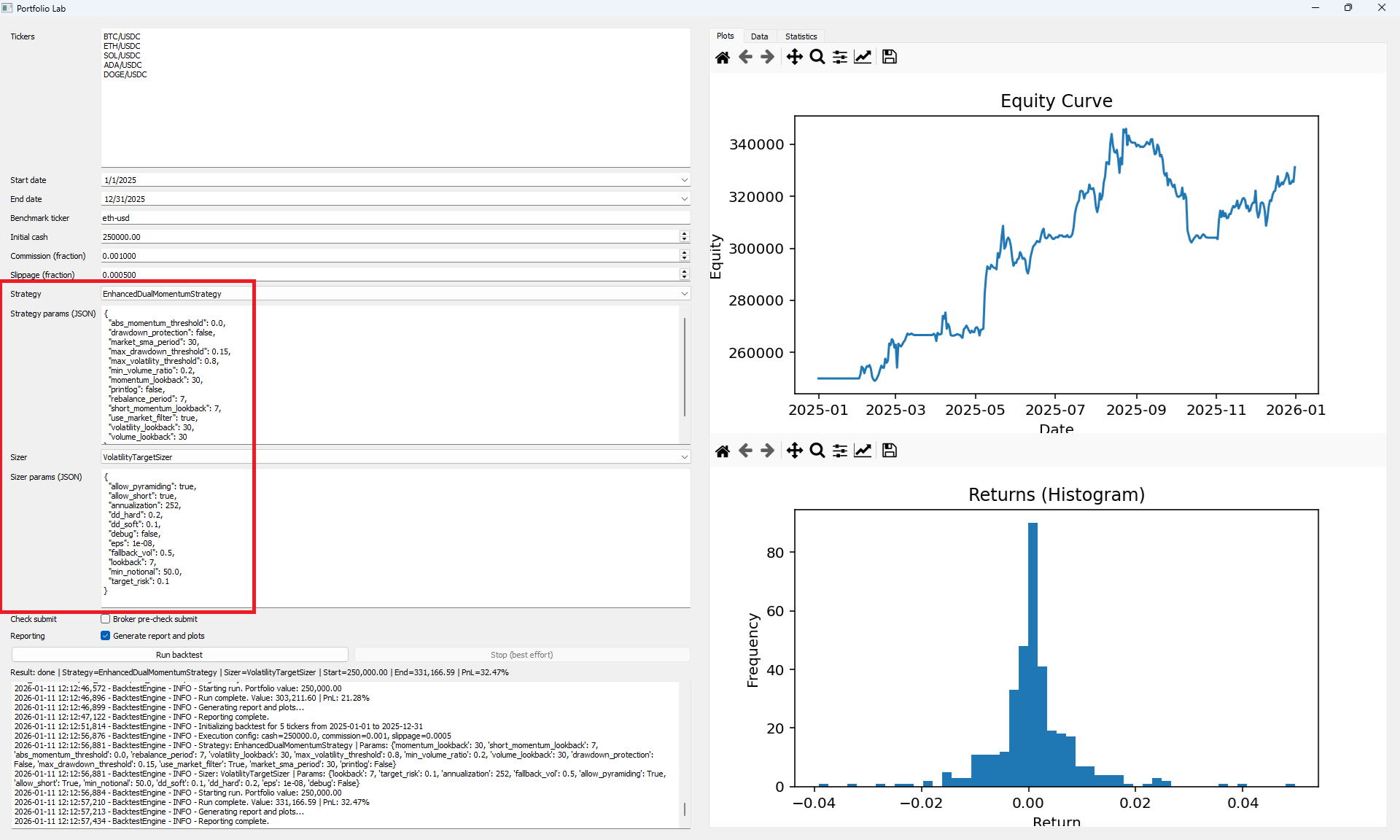
- Strategy selection: Choose from installed strategies discovered automatically.
- Strategy params (JSON): Edit parameters without touching code.
- Sizer selection: Swap sizing models to test different allocation philosophies.
- Sizer params (JSON): Defaults are prefilled and fully configurable.
- Portfolio sizing options: Supports advanced sizers such as risk parity / volatility targeting, Kelly-style sizing, equal weight, max positions, and more based on your allocator pack.
Analysis Tabs
Portfolio Lab keeps the full research loop in one place with dedicated tabs for visualization, diagnostics, and decision metrics.
1. Plots Tab
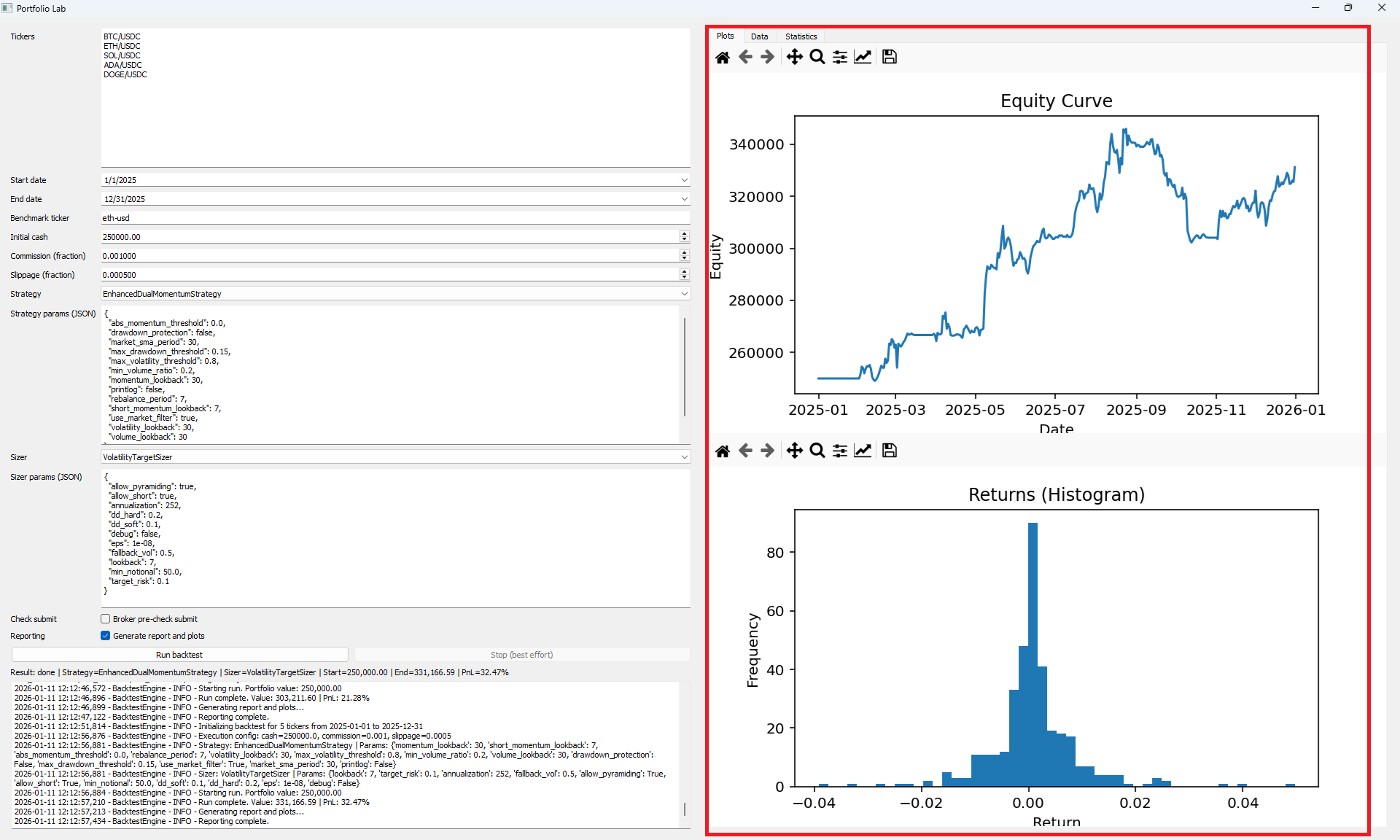
- Equity curve: Visualize portfolio growth over time.
- Returns behavior: Quickly inspect return distribution and volatility characteristics.
2. Data Tab
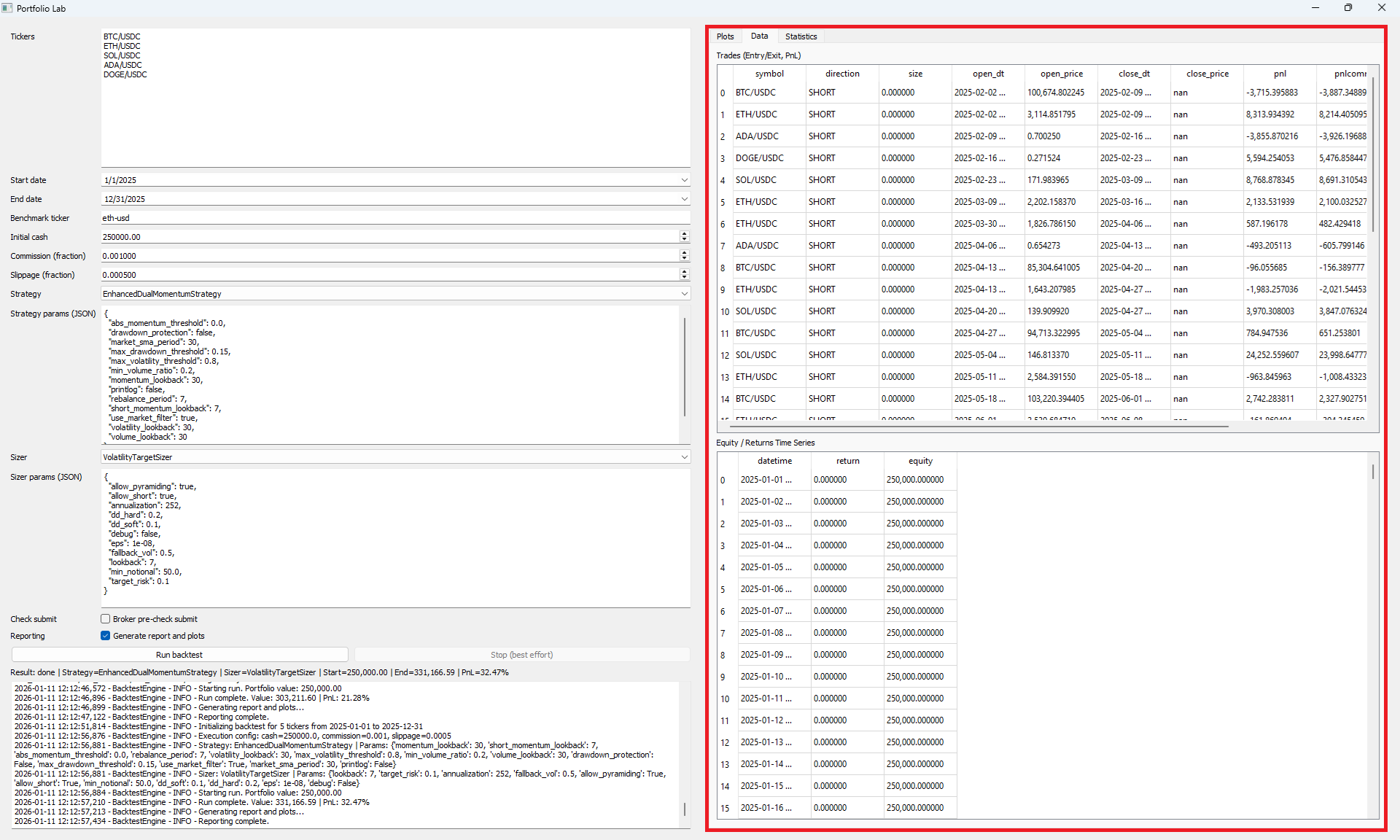
- Trades ledger: Entry/exit details, direction, size, and PnL for auditing and debugging.
- Equity and returns series: Portfolio time series you can export or analyze further.
3. Statistics Tab
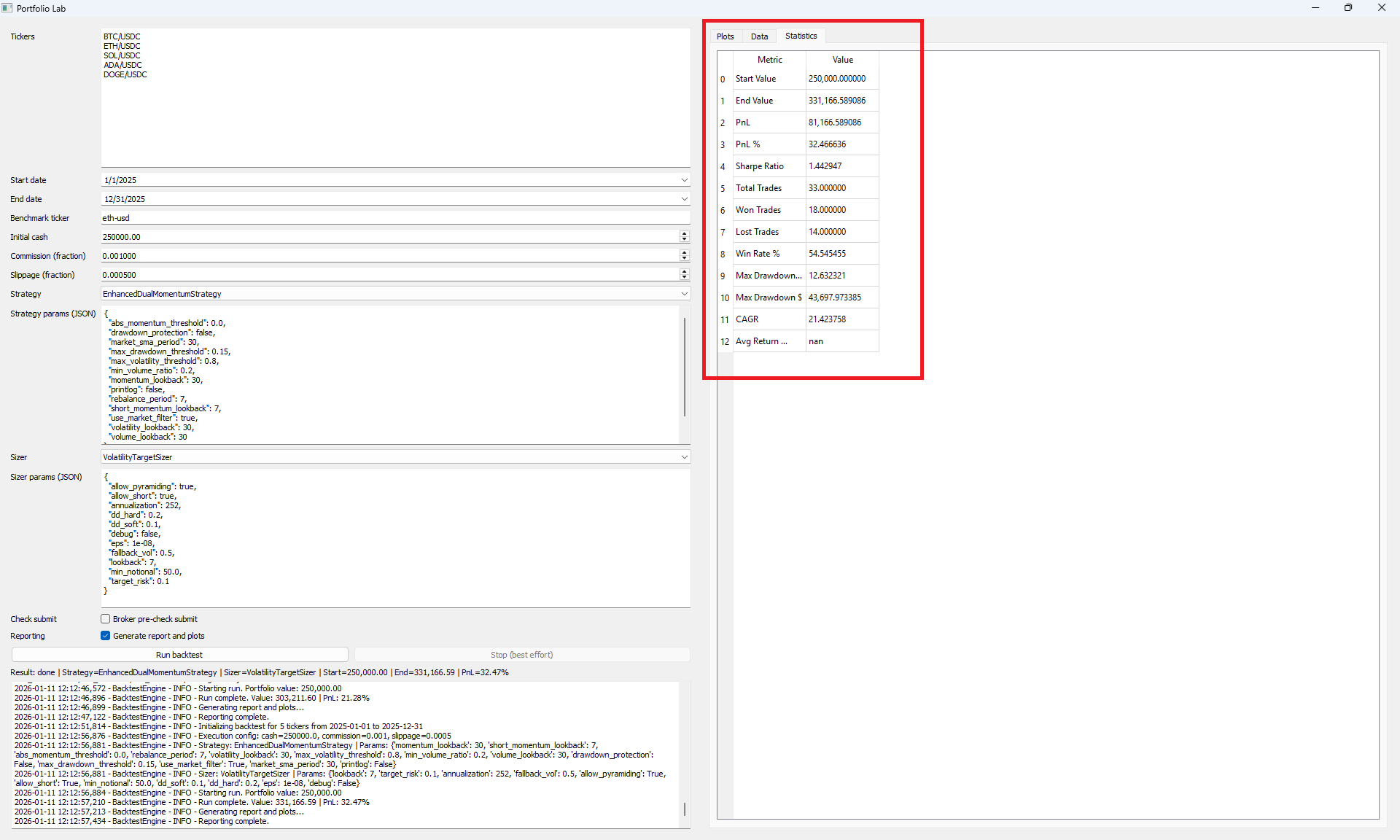
- Trade quality: Win rate, number of trades, winners vs losers.
- Risk and performance: Sharpe ratio, drawdown, total return, and other key metrics.
- Research clarity: A compact KPI view to compare configurations quickly.
Who It’s For
- Quant researchers building and evaluating multi-asset portfolio strategies
- Systematic traders testing allocation and sizing models under realistic assumptions
- Developers who want a UI layer on top of a modular Backtrader research stack
Documentation
Add your user guide link here once ready.
Get Portfolio Lab
Run portfolio backtests, tune parameters, and review plots, trades, and statistics in minutes.
Purchase NowSource Code
Get full source access to extend, customize, or integrate Portfolio Lab into your research workflow.
Purchase Now